Flaunter just got even better. We're constantly evolving to make it easier for brands, agencies, media and creators to connect, collaborate and manage campaigns — all in one place. Our latest updates introduce a smarter Newsfeed with dedicated publishing options, seamless image organisation with the ability to move images between albums, and enhanced Sample Tracking tools that make organising, categorising and tracking your products easier than ever.
Whether you’ve just joined Flaunter or you’re a long-time user, these features are simple, versatile, and designed to provide solutions to everyday media, PR and account management challenges in the easiest way possible.
Ready to put our latest features to work? Here's your quick guide to exploring what's new and how to get started in just a few clicks.
Fresh Newsfeed Features Have Arrived
Big things are happening in the Flaunter Newsfeed.
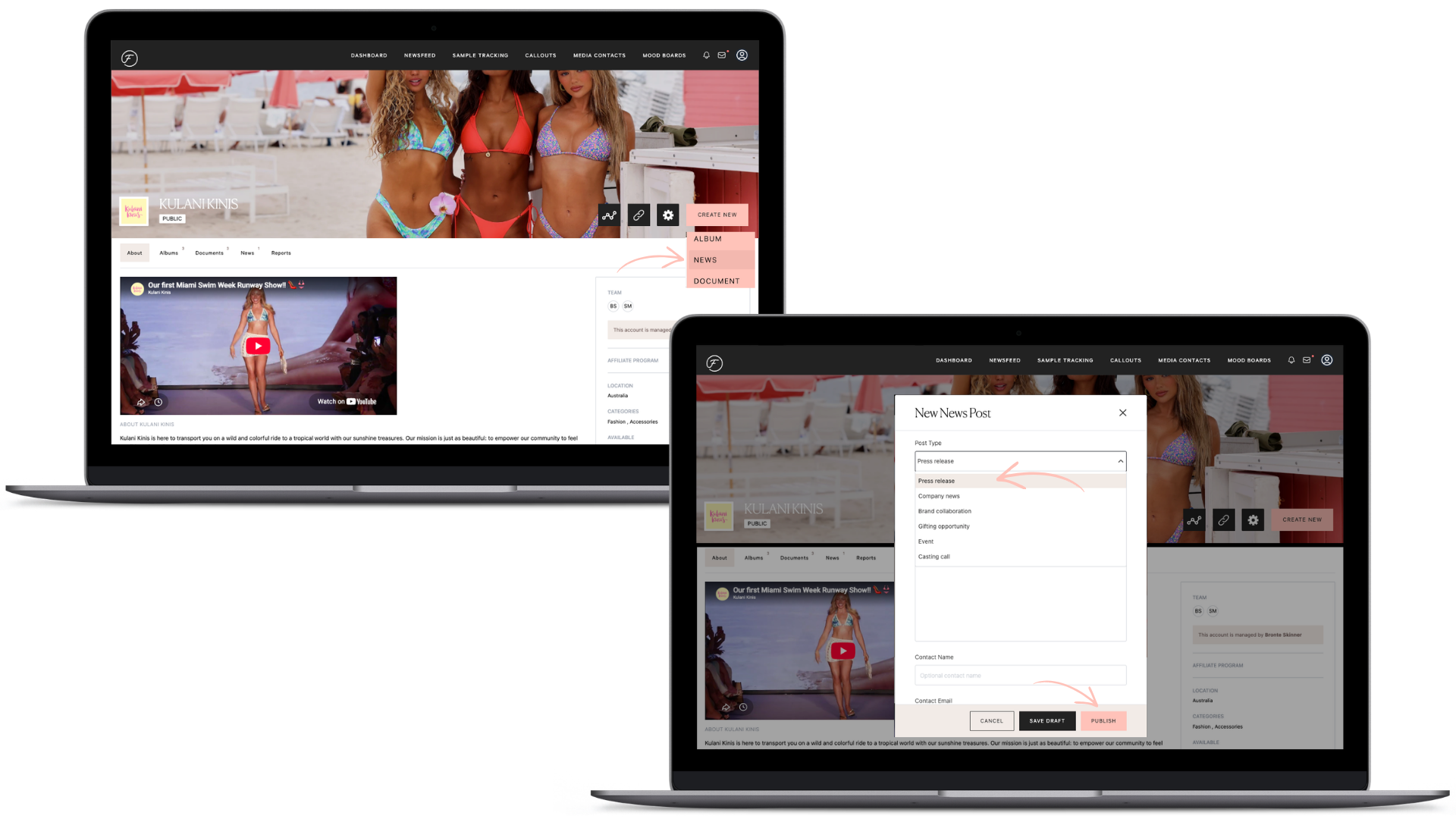
Designed to help brands build stronger connections and keep media in the loop, the Newsfeed now offers more ways to share campaigns, stories and content that matter most. We’ve introduced brand-new publishing options, giving you the ability to put your brand in the spotlight.
You can now publish:
Press Releases
Company News
Brand Collaborations
Gifting Opportunities
Events
Casting Calls
Every content type has been built with tailored categorisation and formatting to make it simpler to showcase the right information in the most effective, clear and engaging way.
From sharing milestones and finding collaboration opportunities to promoting events, launching gifting campaigns and casting talent, the Newsfeed gives you a new, smarter way to connect with the people who matter most.
Moving Images Between Albums
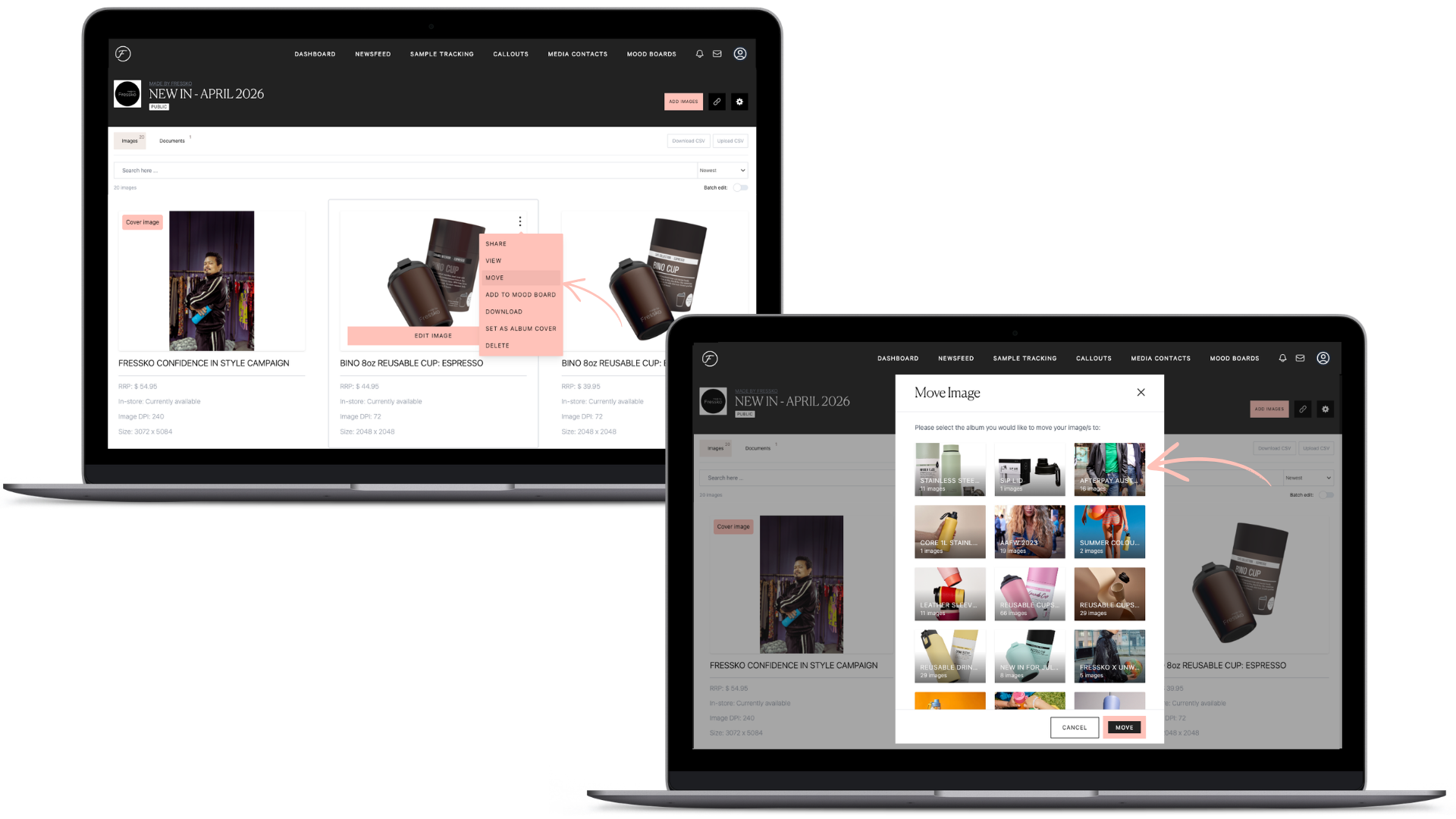
Well-organised content is the secret to seamless sharing, and with the ability to move images between albums, keeping your content structured has never been simpler.
Thanks to the new Album feature, you can now effortlessly move images from album to album, making sure your content is organised, manageable and ready for sharing and downloading with ease.
The best part? You don’t need to worry about image URL’s changing, any links you’ve already shared will continue to work seamlessly.
When an image is moved, Flaunter automatically aligns its category and visibility settings with the new album, making it easier to keep your Press Centre organised, consistent and always up to date, without the extra admin.
New Sample Tracking Updates
We’ve also rolled out a range of upgrades to Sample Tracking, making it simpler than ever to manage, monitor and organise your products.
You can now:
View and print sample history
Compare activity across multiple samples
Track sample movements and activity over time
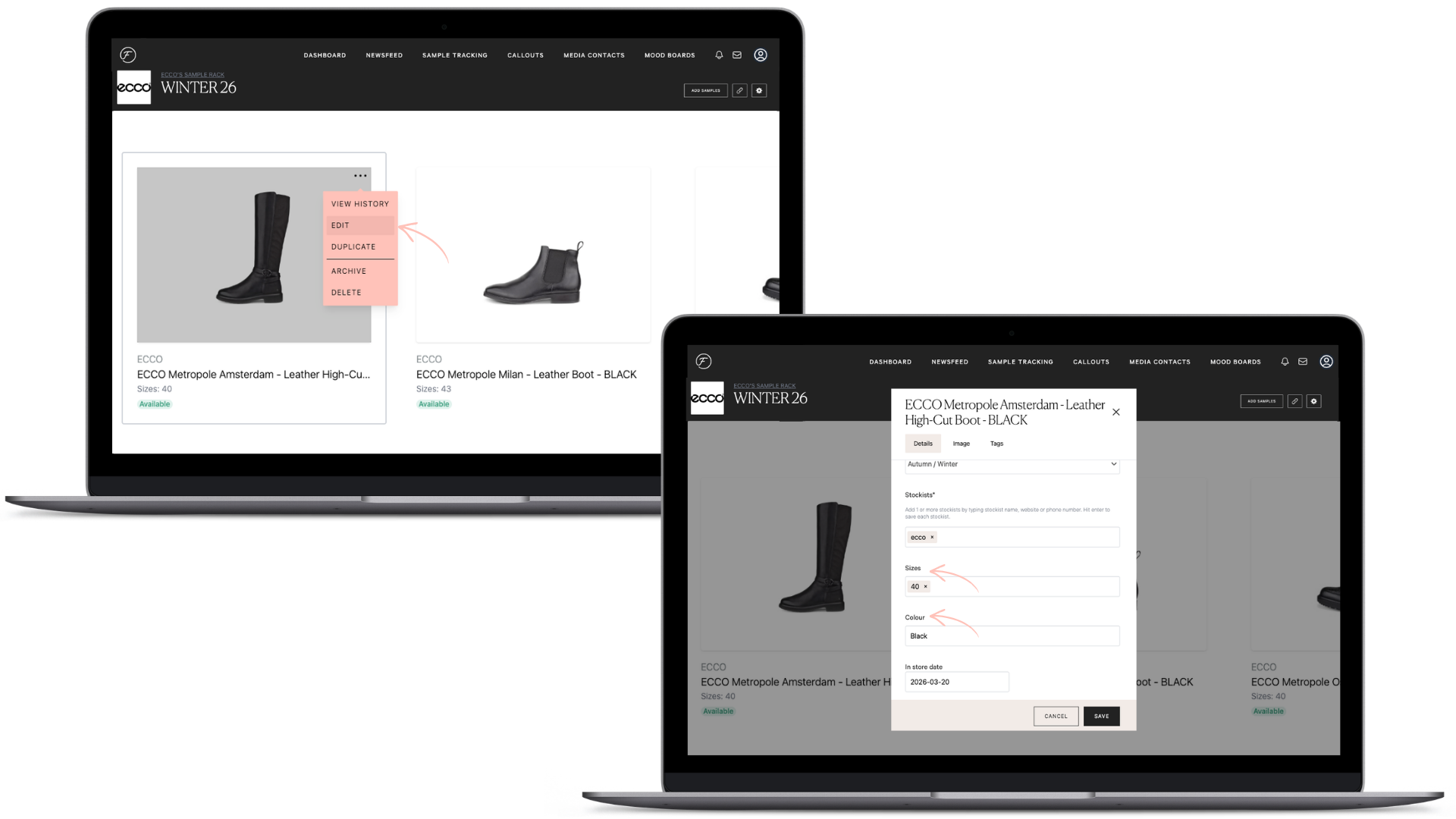
Add dedicated Colour and Size information to each sample
This provides you with clearer visibility, stronger record-keeping and more complete product information.
Spend less time searching for sample details and more time creating valuable connections with stylists, media and creators.
Don't forget about our new verticals
Bridal · Wellness · Entertainment · Home Building & Design · Pets.
We’ve been busy continuing to build out our newest verticals. More brands are joining, more media are discovering, and more connections are happening every week. If your brand belongs in one of these categories, or you’re an editor with contributors who’d benefit from easier discovery, we'd love you to reach out to our team.
We're Just Getting Started
We’ll be continuing to release new features and improvements on a monthly basis, all designed to make Flaunter more useful, intuitive and valuable for your team.
As always, we’d love to hear your feedback. Your ideas, suggestions and day-to-day experience help us shape what we build next, so please keep sharing how we can make Flaunter even better for you.
The Flaunter team is continually working on new features and resolving any issues that arise. For product support, please contact support@flaunter.com.
Help us shape the future of Flaunter. If you have ideas for features or improvements you’d like to see, we always welcome your feedback.